
AI Chatbot That Emails You When It Can't Answer
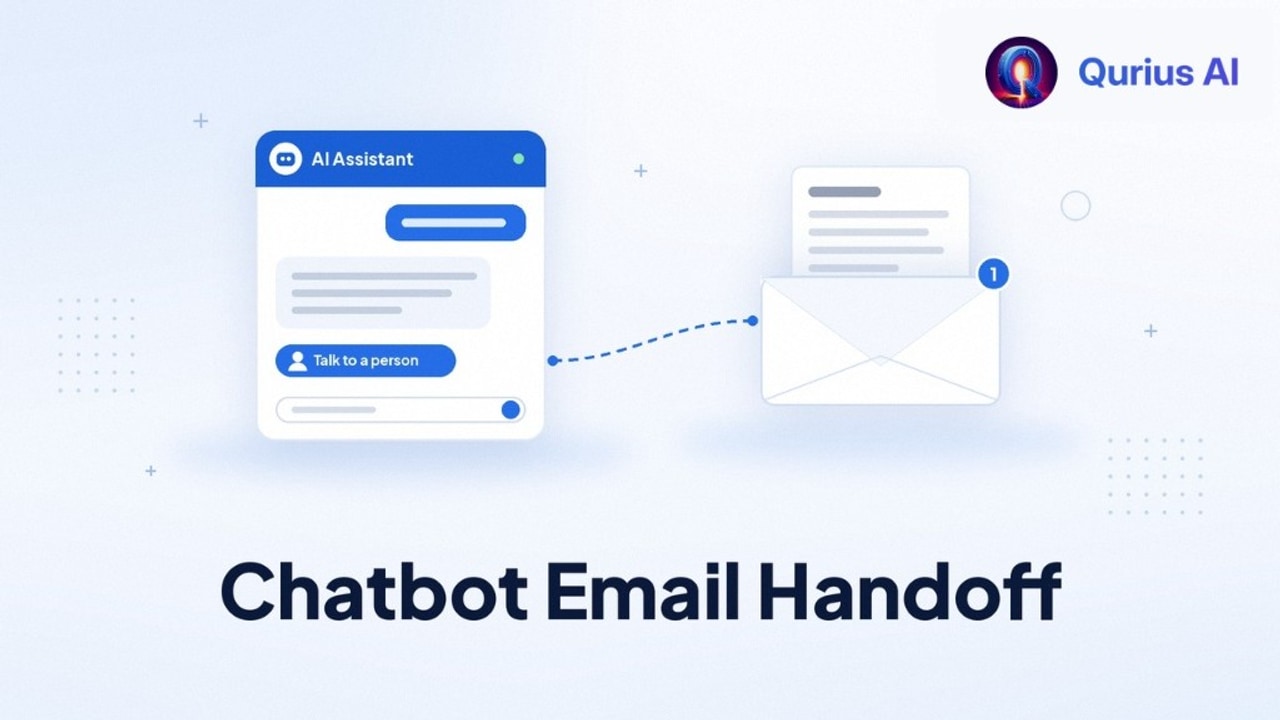
If you're the one answering support for your SaaS, you've probably had this thought: "I'd happily let a chatbot take the easy questions, as long as it emails me when it can't answer."
That's a reasonable thing to want, and it's simpler than most tools make it look. This guide is from the team behind Qurius AI. It covers how email handoff works, when a chatbot should hand off, what the email to you should contain, and how to set it up without buying a helpdesk.
What email handoff actually means
Email handoff is the fallback for every question your chatbot can't answer well. Instead of guessing or looping ("Sorry, I didn't get that"), the chatbot:
- Says it doesn't know, in plain words.
- Offers a way to reach a person, usually a "Talk to a person" button.
- Collects a name and email so you can reply after the visitor leaves.
- Emails you the full conversation, so you can answer without asking them to start over.
That's the whole loop. No live chat seats, no ticket queue, no app you have to keep open. The question lands in the inbox you already check, and you reply like any other email.
For a team of one to ten, this is often a better fit than live chat. You can't promise someone is online at 2am, but you can promise a reply by the next business day.
When a chatbot should hand off
A good handoff has clear triggers. These four cover almost everything:
- The answer isn't in your content. If your docs and FAQs don't cover it, the chatbot should say so instead of making something up. This is the most important one.
- The customer asks for a person. Always let them through, right away. Making someone argue with a bot is the fastest way to lose their trust.
- It needs a decision. Refunds, exceptions, account changes and anything about a specific bug or outage belong to you.
- The answer didn't help. If the customer says the reply didn't solve it, offer the handoff rather than another attempt.
The first trigger depends on the chatbot itself. A general chatbot will confidently answer questions about your product from whatever it learned elsewhere. You want one that answers only from your content, shows its sources, and treats "I don't know" as a normal answer.
What the handoff email should include
The email you receive decides whether handoff saves you time or just moves the work around. Look for:
- The full chat, not a one-line summary, so you see what they asked and what the chatbot already said.
- The customer's name and email, so you can hit reply.
- The question in their own words. It tells you what they were stuck on and, often, which page needs fixing.
And on the customer's side, the chatbot should confirm what happens next: that the message reached a person and roughly when to expect a reply. Silence after a handoff feels like a black hole, even when you answer quickly.
Tip: write your reply expectation into the handoff message, for example "We reply within one business day." Pick a time you can keep every week, not just on good weeks.
How other tools handle handoff
Handoff isn't unique to Qurius, but how it works varies a lot, so check before you choose.
- Helpdesk-first tools route handoffs into their own inbox. Intercom's pricing page lists Fin AI Agent at $0.99 per outcome on top of helpdesk seats (from $29 per seat a month on Essential), and says you aren't charged when a customer asks to speak to a human. Chatbase's pricing page includes its own Helpdesk inbox from the Basic plan at $150 a month ($120 billed yearly). Both are good choices if you want a full shared inbox, routing and agents.
- Email-first tools send the conversation to your existing inbox. That's the simpler path if you're the support team and email is where you already work.
Pricing and plans change, so confirm on each vendor's page as of when you read this. Our comparisons with Intercom Fin, Chatbase, SiteGPT, DocsBot and Tidio go into more detail, including where each one is the better choice.
Set it up in an afternoon
- Collect your common questions (30 minutes). Skim your last 50–100 support emails and write each question in one line. Our guide to reducing support tickets walks through this.
- Check the answers exist. If a common question isn't covered by your docs or FAQ, write a short answer now. See how to find gaps in your help center.
- Connect your content. Point the chatbot at your website, docs and FAQs. If you run a docs site, see AI assistants for documentation sites.
- Set the handoff email. Use an address you check every day. If two people share support, a shared address works well.
- Test the unhappy path. Ask something your content doesn't cover and ask for a person. Confirm the email arrives with the full chat and that you can reply straight from it.
- Add it where questions happen: your pricing page, docs and inside your app. How to add an AI chatbot to your website covers the common site builders.
Treat every handoff as a to-do
The handoffs that reach your inbox fall into two groups:
- Questions only you can answer. Reply, and you're done.
- Questions your content should have answered. Reply, then add the answer to your docs or FAQ so the chatbot can handle it next time.
Do the second part once a week and the handoffs that reach you shift toward the ones that actually need you. For more on running AI support as a small team, see AI support for small SaaS.
How it works in Qurius
Qurius answers customer questions from your website, docs and FAQs, and shows the sources for each answer. If your content doesn't cover a question, it says so. The customer can tap "Talk to a person", leave their name and email, and you get an email with the full chat. That handoff is on every plan, including free.
| Plan | Price | Messages per month |
|---|---|---|
| Free | $0 | 50 |
| Starter | $29/mo | 2,000 |
| Growth | $59/mo | 10,000 |
| Pro | $99/mo | 25,000 |
Paid plans add analytics and reports on the questions your content didn't cover, which turns handoffs into a list of docs to write. Extra messages are $10 per 1,000 if you go over. See pricing for everything in each plan.
FAQ
Do I need a helpdesk for chatbot handoff? No. For a small team, your normal inbox is enough. A helpdesk helps once several people share support and you need assignment and tracking.
What if the customer closes the chat before I reply? That's why the chatbot should collect an email before the handoff. You reply by email, and the conversation continues there.
Will the chatbot try to answer things it shouldn't? It shouldn't. Choose one that answers only from your content and says when it doesn't know. Then test it with questions you know aren't covered.
Can I use email handoff inside my app? With Qurius, yes. It's a script tag, so it works on any page where you can paste it, including a logged-in app.
Want to see what it can and can't answer on your own site? Try Qurius on your website, no signup needed.